

Backup and Recovery for Red Hat OpenShift
Storware is a certified Red Hat OpenShift Operator that protects the stateful side of your clusters — persistent volumes plus the Kubernetes metadata for Deployments, DeploymentConfigs, and StatefulSets. Built on OADP and volume snapshots, installed from OperatorHub, it can rebuild an application even after its pods are gone.
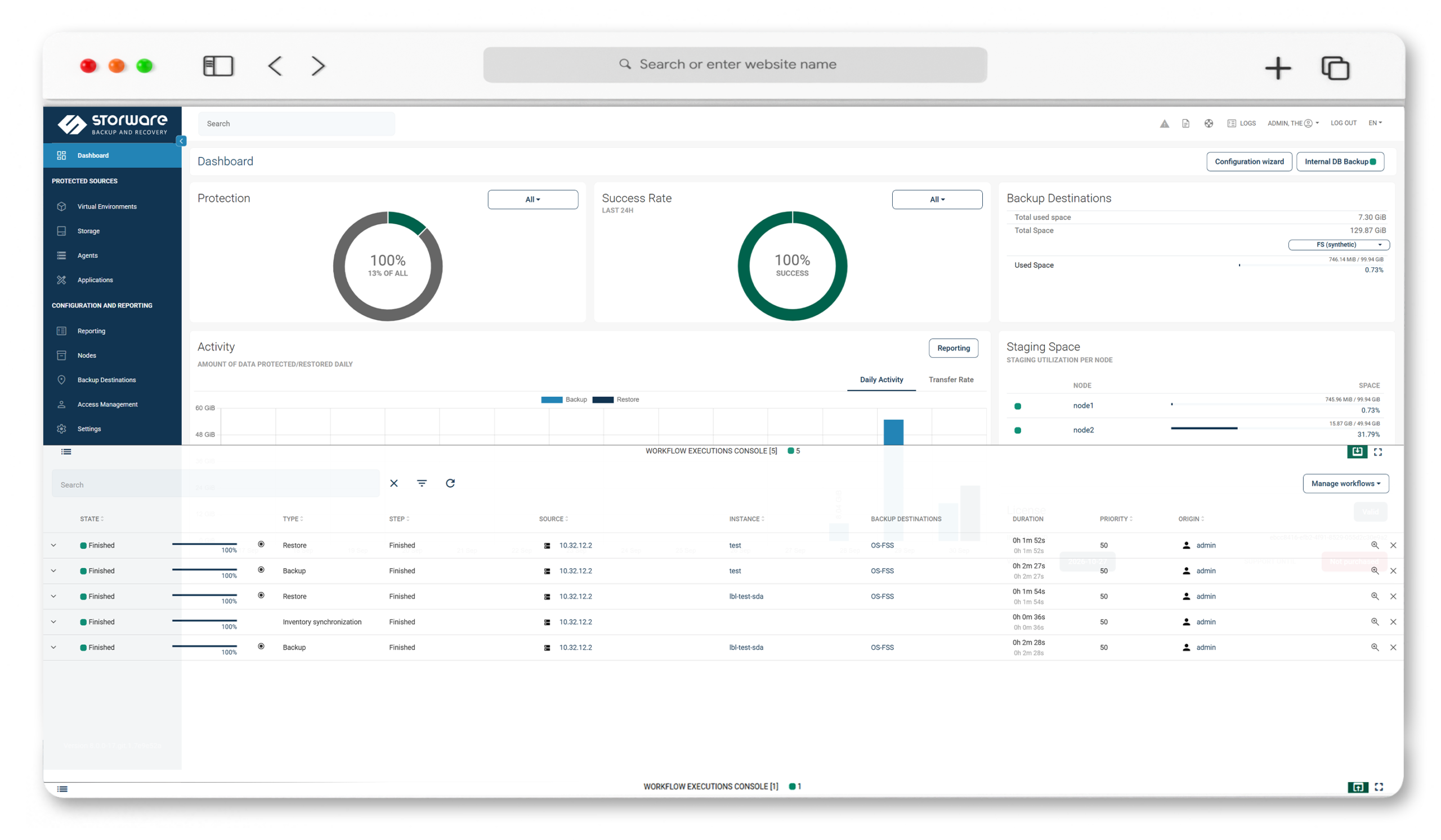
Key Highlights

Certified Red Hat OpenShift Operator
Install straight from the Red Hat OperatorHub. A forever-free tier and a 60-day trial let you evaluate at your own pace.

Stateful data protection
Persistent volumes plus metadata for Deployments, DeploymentConfigs, and StatefulSets — and etcd, the store of your whole cluster state.
OADP + volume snapshots
Metadata is captured through Red Hat's OADP operator; persistent volumes through crash-consistent volume snapshots, with a pod-pause fallback when the storage class can't snapshot.

Recover anywhere
Rebuild an application from its metadata into the original or a different namespace, choosing the storage class — even if the original pods no longer exist.
Powerful Data Protection Features for Red Hat OpenShift
OADP-based metadata backup
Storware connects to the OpenShift API and drives Red Hat's OADP operator, auto-creating the resources it needs (DataProtectionApplication, BackupStorageLocation, VolumeSnapshotLocation). OADP 1.3 or later is required.
Persistent volume protection
Persistent volumes are backed up primarily through crash-consistent volume snapshots; when the storage class doesn't support snapshots, running pods are paused during the backup for consistency.
Full, incremental, and synthetic
Including incremental backups for Ceph RBD-based persistent volumes, where incrementals don't require previous snapshots to remain in the cluster.
Deployments, DeploymentConfigs, and StatefulSets
The Kubernetes objects that actually carry stateful workloads, backed up with their persistent volumes and metadata.
Flexible restore
Recreate the application from metadata into the original or a different namespace, choose the storage class, rename on restore, and exclude persistent volumes you don't need.
etcd configuration backup
Protect etcd — your cluster's configuration, specifications, and service states — via Application Backup over SSH.
Multi-cluster, multi-node
Run Storware Nodes inside the operator or outside the cluster to protect many clusters; scale out by adding nodes, scale up by adding resources.
Open REST API and CLI
Kubernetes-native and REST APIs plus a CLI for snapshot, backup, and restore — ready to slot into pipelines and orchestration.
Immutable, air-gapped security
IsoLayer air-gap, immutable backup destinations, retention lock, RBAC and access management, and Keycloak MFA.
Technology partners











See Red Hat OpenShift protection with Storware in action
Install Storware from OperatorHub, point it at your OpenShift API, and let OADP handle the rest — watch a stateful application get backed up (metadata plus persistent volumes) and restored into a fresh namespace, pods and all.
Frequently Asked Questions
What does Storware back up in Red Hat OpenShift?
Persistent volumes and metadata for Deployments, DeploymentConfigs, and StatefulSets, plus etcd — the store of your cluster’s configuration and state.
Is Storware a certified Red Hat OpenShift Operator?
Yes. Storware installs directly from the Red Hat OperatorHub and offers a forever-free tier alongside a 60-day trial.
How does Storware back up OpenShift?
It connects to the OpenShift API and uses Red Hat’s OADP operator for metadata, capturing persistent volumes through volume snapshots. OADP version 1.3 or later must be installed from OperatorHub first.
Does Storware support incremental container backups?
Yes. Storware supports full, incremental, and synthetic backups, including incrementals for Ceph RBD-based persistent volumes that don’t require previous snapshots to remain in the cluster.
What happens if my storage class can't take snapshots?
Storware pauses the running pods of the deployment during the backup to keep the data consistent, then resumes them once the backup completes.
Can I restore to a different namespace?
Yes. Storware can restore an application into the original or a different namespace, let you choose the storage class, rename the application, and exclude specific persistent volumes.
Can Storware protect multiple OpenShift clusters?
Yes. Storware Nodes can run inside the operator or outside the cluster, protecting several clusters, with scale-out and scale-up as your environment grows.
Does Storware also protect OpenShift Virtualization VMs?
Yes — virtual machines running on OpenShift Virtualization are protected through a dedicated path, covered on the OpenShift Virtualization page.